
What is a project?
Projects are how we provide access to computing resources and storage. Each project is assoiciated to a Grouper group, which is used to manage project membership. All members of the Grouper group are automatically members of the project.
Grouper is managed by UVA ITS. For questions or support related to Grouper, please contact the UVA Help Desk.
Who can request a project?
Only PIs can request new or modify their existing projects. If you are not PI-eligible, you will not see the option to create a new project. All users can use the tool to visualize the projects they are a member of.
Creating a Project
Step 1: Create a new Grouper group
A Grouper group is required for all new projects. Projects and groups are one-to-one.
- Go to the Grouper application (VPN required when off-grounds).
- Select New Request → Create new Grouper group(s).
- Provide:
- Group name
- Description (Tip: Include “This group will be used for Rivanna/Afton access” to expedite approval.)
- Primary and secondary owners (per ITS requirements)
- Visibility settings
- Submit the request. You will receive an email once the group is created, and then you can move on to the next step
New to using Grouper? UVA ITS Services has provided some helpful video tutorials.
Step 2: Add project PI and members
Once the group is created, the PI must add themselves as a member. This is required before you can create a project using the group. Note that you are not added as a member of a group automatically once the group is created, and it must be done manually afterwards.
- Go to the Grouper application (VPN required when off-grounds).
- Find your newly created group in the "Groups I Manage" column.
- Click the Add Members button, and add by Computing ID.
- Optional start/end dates may be set
At this point, the PI can also add additional members that need access to Research Computing services. Group membership may take an hour to update on our system.
Step 3: Create a new project in the portal
Note: Our portal uses group membership to filter the groups you are allowed to request a project for. You may be a member of additional groups not intended for a Research Computing project, or are not the intended PI. Please only create projects for Groups you own and are the PI on.
- Go to the Resource Portal. If you are new to UVA Research Computing, it should look like this:

If you are a member of other projects, the screen will not be blank, and they will be listed here. Then, to create your new project:
- Click the Create Project button
- In the form, provide the following:
- Grouper group from the dropdown list
- If your group is not listed, then it hasn't been created yet, or you have not added yourself as a member in Grouper. Confirm you received an email notification from ITS that the group was created and that you added yourself as a member. If it's still not there, please Contact Us.
- Project name
- Does not have to match the group name, and should be descriptive of the project.
- Project description.
- Agree to the terms and responsibilities of being PI on the project.
- Grouper group from the dropdown list
Once you have created your project, you should see it on the portal like this:
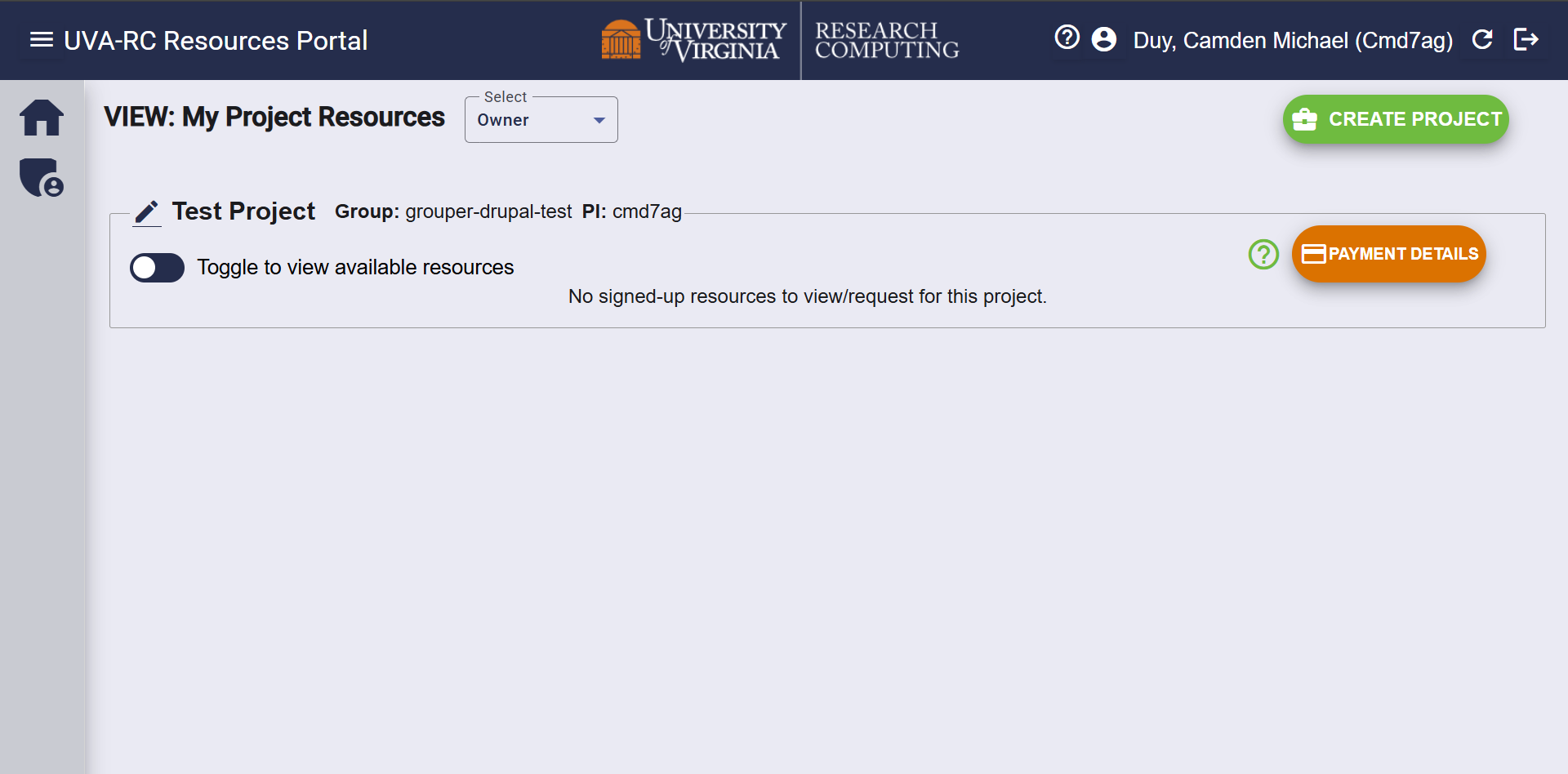
Next steps:
After the project is created, you can move on to request a Research Computing compute allocation to get access to the system.
After requesting a compute allocation, you may request additional storage if desired.